
 Language
How Do AI Shopping Assistants Work? A Guide for Ecommerce Teams
Learn how AI shopping assistants turn shopper requests into grounded recommendations, controlled actions, and human handoffs, with a Shopify pilot plan.
By Upsello Team
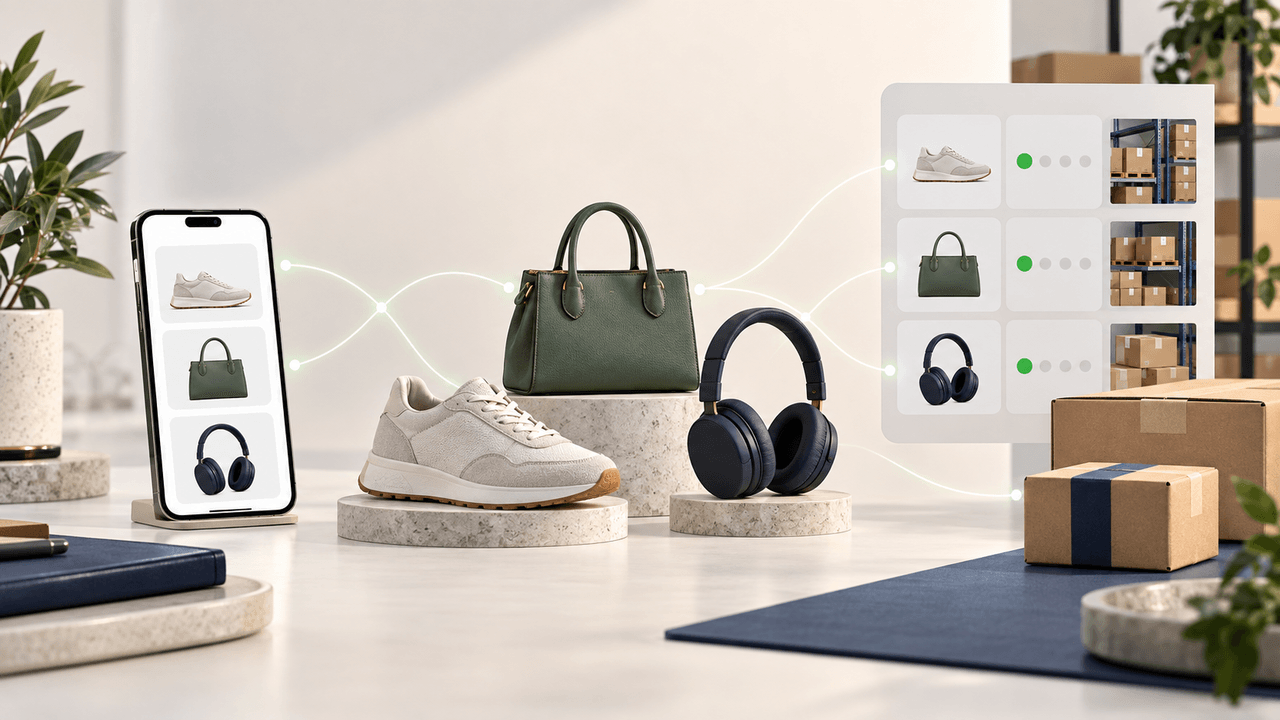
An AI shopping assistant helps customers find products by understanding what they want, checking your store's product information, and explaining which options fit. If a shopper asks for a running gift under $120, it can check suitable products, ask whether sizing matters, and show which options fit the budget. For your team, the harder decision is what information the assistant may use and what it should do when an answer is uncertain. This guide explains the shopping workflow, the store data behind it, and a practical Shopify pilot. Shopify is one example of a store platform where teams can connect this work to product, inventory, policy, and cart data; the same operating questions apply more broadly across ecommerce.
How do AI shopping assistants work?
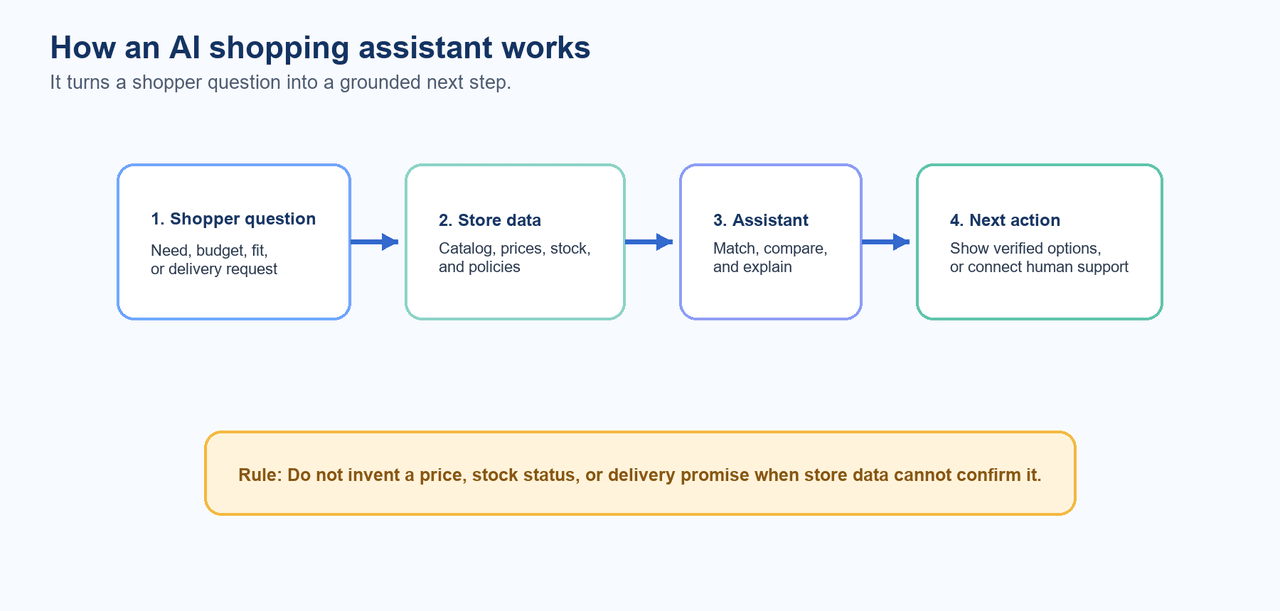 Illustration: a customer question is matched against current store data before the assistant recommends a next action.
An AI shopping assistant turns a customer's question into a product search guided by your store's data and rules. It picks out details such as budget, size, and intended use, then checks the catalog for products that meet them. If several items fit, it can explain the differences and ask one useful follow-up question. Each factual answer needs an appropriate source. Product descriptions can explain features, but they cannot confirm today's stock or a delivery date. Those answers require current inventory and shipping information. When the store cannot confirm a detail, the assistant should say so and offer another useful step. Upsello's automation playbook describes how to limit automation to a defined set of customer questions. You can see how these parts work together in a common gift-shopping question.
What would an AI shopping assistant do with a customer question?
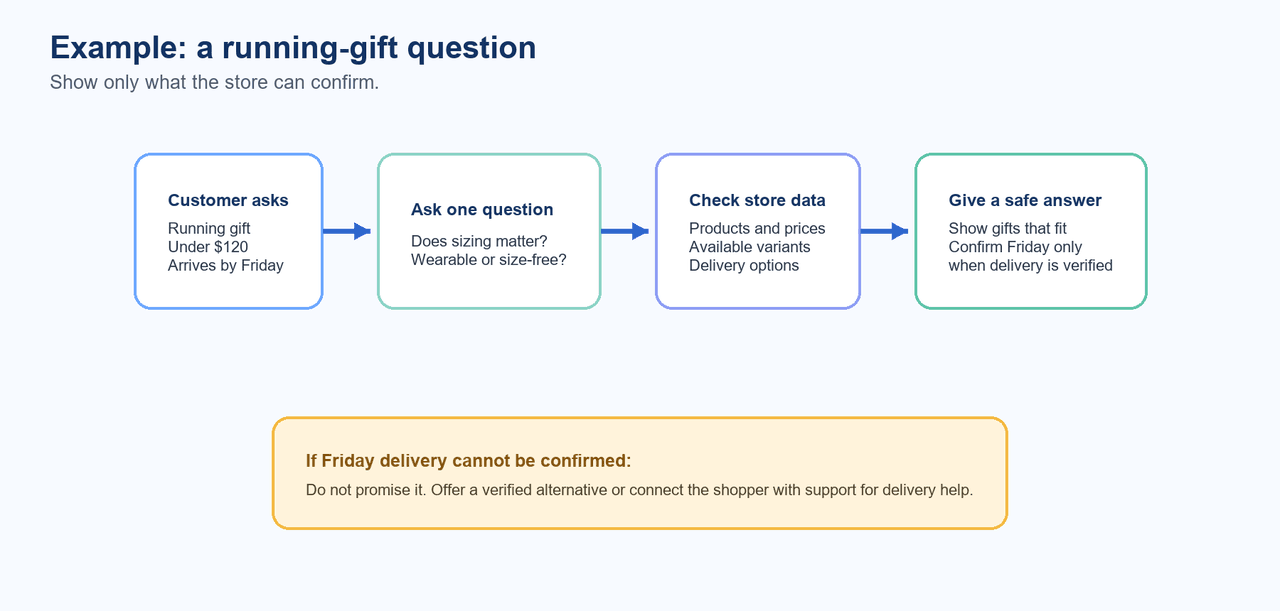 Illustration: A running-gift question can be narrowed with catalog, delivery, and handoff information.
The following is a hypothetical editorial example, not a merchant case study. A shopper says: "I need a running gift under $120 that can arrive before Friday." The assistant should not jump from that sentence to a single product. It needs to make six separate decisions.
- **Capture the constraints: **Record the use case, budget, delivery date, and any known runner preferences. Treat each as a constraint that can guide later filtering.
- Clarify what matters: The budget and deadline are clear, but “running gift” could mean clothing, accessories, or recovery gear. Ask one useful question: “Would you prefer something the runner can wear, or a gift that does not require a size?”
- **Retrieve eligible information: **Look up current catalog attributes, variants, prices, inventory and market availability, plus the shipping or return rules that matter to the stated request. A Shopify assistant may need those data groups, but the exact input set depends on scope and permitted access. Upsello's data checklist provides examples of the catalog, cart, policy, and customer-context inputs a store may use.
- Filter and rank: Remove choices outside the confirmed budget, unavailable variants, or delivery constraints. Rank the remaining items against the shopper's stated criteria, not an assumed preference. Current complementary-product relationships may also help when the shopper asks for a bundle.
- Explain the trade-offs: Give two or three eligible options and say which constraint each one meets. For example, one gift may need the runner's size, while another works without it. If the customer needs it by Friday, present an option as meeting that deadline only when the store can confirm delivery. The explanation should point to confirmed store data rather than filling gaps with polished language.
- Choose the next action: If the assistant has authority for a low-risk action, it can support that action. If stock information conflicts, delivery cannot be verified, or the request falls outside the rules, it should offer a safe alternative or hand the conversation to a person with the shopper's context intact. This workflow follows the retrieval, ranking, explanation, and controlled-action approach in Upsello's shopping-bot guide. It does not promise that a recommendation is the best gift, that inventory is correct, or that delivery will occur by a particular date. Its value is that a team can inspect each decision and assign an owner to the data and rules behind it.
Data an assistant needs to earn trust
An assistant earns trust when its answer can be traced to store information that is fit for the question. A good data plan separates the source, the freshness check, and the fallback. It also avoids treating access to a field as permission to use it.
| Data group | Workflow use | Owner and freshness check | Safe fallback |
|---|---|---|---|
| Product attributes and variants | Match a shopper's stated use case | Merchandising team reviews required attributes and variant status | Ask a clarifying question or narrow the answer. |
| Prices and market availability | Keep options within the stated budget and market | Commerce owner checks the current source | Avoid a price-specific answer when data conflicts. |
| Inventory | Remove unavailable choices | Inventory owner confirms the update path | Offer eligible alternatives or hand off. |
| Collections and relationships | Surface relevant complementary items | Merchandising team maintains approved relationships | Do not infer a bundle from similarity alone. |
| Cart and policy rules | Answer purchase and policy questions | CX and commerce owners maintain rules | Explain the next safe step or escalate an exception. |
| Customer context | Personalize only when scope permits | Privacy and CX owners define allowed use | Continue without personal context or hand off. |
The catalog, variant, inventory, market, cart, policy, and customer-context categories in this table are drawn from Upsello's Shopify data guidance. The practical addition is ownership: a field is not useful merely because it exists. Someone needs to define when it is fresh enough, what happens when it is absent, and who resolves a conflict. A team can keep this simple. Name the data source. Name its owner. Set a check time. Test a missing value. Test a bad value. Make the fallback plain. These short rules turn a data list into work that people can run.
What can AI shopping assistants do for ecommerce teams?
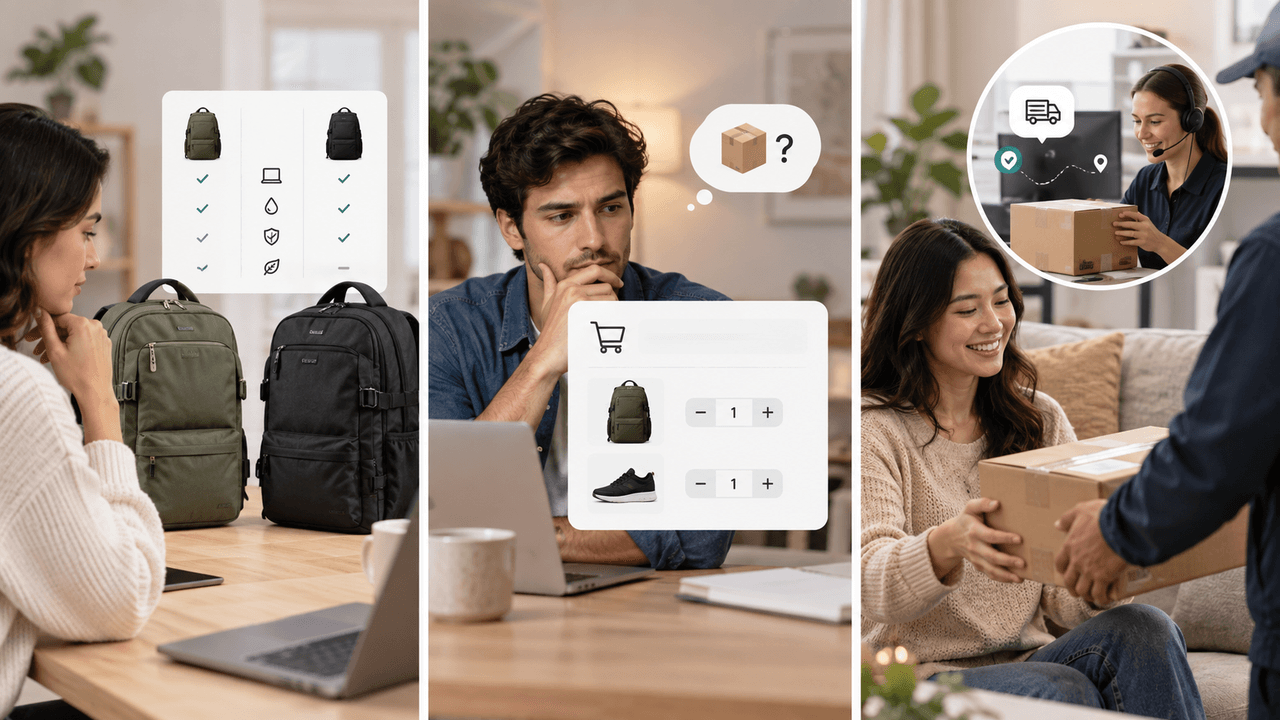 Illustration: common assisted journeys include product comparison, purchase questions, and order support. This is an editorial illustration, not a product-interface screenshot.
The best early jobs focus on a limited set of customer questions. They use approved data, clear rules, and a clear way to get human help when the assistant cannot answer. Three common jobs show where an assistant can help shoppers and your team.
Illustration: common assisted journeys include product comparison, purchase questions, and order support. This is an editorial illustration, not a product-interface screenshot.
The best early jobs focus on a limited set of customer questions. They use approved data, clear rules, and a clear way to get human help when the assistant cannot answer. Three common jobs show where an assistant can help shoppers and your team.
Help shoppers find and compare products
A shopper may know what they need without knowing which product name to search for. The assistant can ask about budget, size, and intended use, then show a few products that match the answers. If two items look similar, it should explain the difference using the store's product details. It can suggest a matching accessory when the relationship is supported by the catalog and useful to that shopper.
Recover carts by answering purchase questions
A cart conversation may involve product details, a policy question, or a delivery concern. The job is to retrieve the relevant approved information, explain it, and identify the next safe step. It is not evidence that answering a question will recover a cart; the team should measure that result in its own conditions.
Handle routine order and policy questions
Routine policy explanations can remain within the assistant's scope when identity, permission, the applicable policy, and a verifiable result are all available. Exceptions, conflicting data, sensitive requests, repeated failure, strong negative sentiment, or a direct request for a person should move to a handoff. Upsello's automation playbook treats handoff as part of the operating rule, not as an afterthought.
##Controls that keep a helpful answer operationally safe
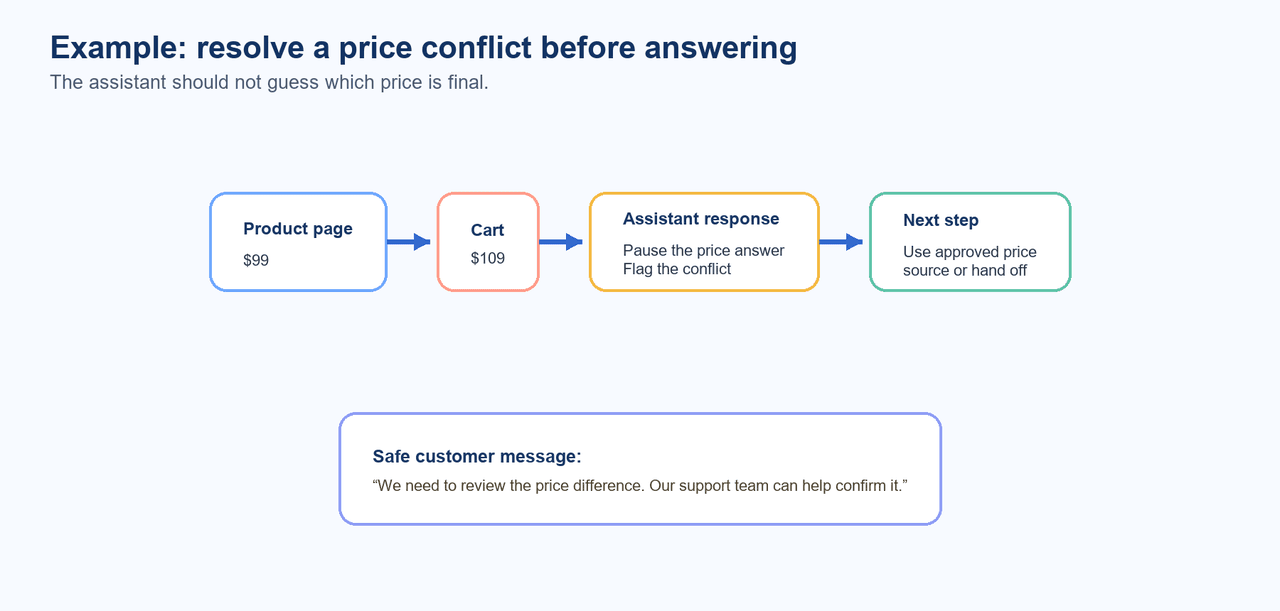 Illustration: When product and cart prices conflict, the assistant pauses and routes the discrepancy for review before quoting a final price.
A plausible answer can still be the wrong operational response. Teams need controls that connect common signals to a defined safe response. This is operational guidance, not legal, security, or compliance advice.
Illustration: When product and cart prices conflict, the assistant pauses and routes the discrepancy for review before quoting a final price.
A plausible answer can still be the wrong operational response. Teams need controls that connect common signals to a defined safe response. This is operational guidance, not legal, security, or compliance advice.
| Signal | Control | Safe response | Handoff threshold |
|---|---|---|---|
| Stale or conflicting data | Check the approved source and freshness rule | State the limitation and narrow the answer | Data cannot be reconciled. |
| Ambiguous request | Ask a focused clarifying question | Keep the conversation within questions the assistant is set up to handle | Ambiguity remains after clarification. |
| Permission boundary | Require the defined identity and permission state | Continue without private context when possible | Identity or permission is insufficient. |
| Policy exception | Apply explicit policy rules | Explain the documented next step | Exception needs human judgment. |
| Consequential action | Limit authority to low-risk actions the assistant is set up to take | Offer an alternative action | Action is high impact or needs human judgment. |
| Repeated failure or human request | Preserve conversation context | Route to the right person | Immediate when the shopper asks or harm may grow. |
These controls reflect Upsello's guidance for safe support automation: automation should be limited to questions it is set up to handle, with current data, explicit rules, verifiable results, and a clear way to get human help when it cannot answer. The table gives a team a way to turn that guidance into testable operating rules. If the product page shows $99 and the cart shows $109, the assistant should not guess which price is final. It can check the store's approved price source or pass the discrepancy to the commerce team. Until the difference is resolved, it should tell the shopper that it cannot confirm the price. The team can then correct the source of the mismatch before the assistant answers a similar question again. Test these cases with real and difficult examples, assign an owner for each rule, and review the rule after a handoff.
How do you launch an AI shopping assistant on Shopify?
Start with one customer outcome, not a broad assistant mandate. A reasonable first job might be helping shoppers narrow a product category with current catalog and availability information. Document the approved inputs, the questions in scope, the action the assistant may support, and the handoff route before expanding to more jobs. Build a test set from real shopper language and include ambiguous requests, out-of-stock cases, mobile interactions, privacy-sensitive situations, and adversarial prompts. Test how the assistant behaves when data is missing or rules conflict, not only when every input is clean. Upsello's shopping-bot guide recommends a narrow pilot and these varied test cases before expansion. A simple pilot checklist helps keep the work controlled:
- Define one shopper job and the decision the assistant may support.
- Name the source of each required data group and its freshness check.
- Set the policy, identity, permission, action, and handoff rules.
- Record a baseline for the shopper problem before the pilot.
- Review test transcripts and failure patterns before adding another job. This is a rollout approach, not a guaranteed timeline or a vendor-specific implementation result. Its purpose is to make the next expansion decision based on observed store conditions.
How should ecommerce teams measure and improve AI shopping assistants?
Measure the assistant as part of a shopper journey, not as a chat counter. The useful question is whether the workflow helps a team identify friction and test a better path across shopper questions, behavior, outcomes, and service experience. Upsello's customer-journey guide frames measurement around those connected signals.
| Decision question | Leading signal | Outcome or service signal | Guardrail | Action if weak |
|---|---|---|---|---|
| Are shoppers finding relevant options? | Clarification rate and completed recommendation paths | Product clicks, add-to-cart activity, or resolution after a human handoff | Unsupported-answer reviews | Improve attributes, rules, or questions. |
| Are policy answers usable? | Repeat-question rate | Service-resolution signal | Escalations caused by exceptions | Repair policy retrieval or route earlier. |
| Is the handoff working? | Context carried into the handoff | Human resolution feedback | Repeated transfers | Improve the route or summary. |
| Should the pilot expand? | Test-set stability by segment | Store-defined result against the baseline | Data conflicts and permission failures | Keep scope narrow or revise controls. |
Interpret each measure with its attribution limits visible. Segment by job, device, market, or catalog condition where that distinction changes the decision. Avoid treating more conversations as success by itself, and avoid inferring conversion, average order value, or return on investment without evidence from the store's own measurement plan. Use the scorecard in a review. Read a small set of chats. Check the data used. Check the handoff note. Then choose one change to test. This keeps the measure tied to a clear next step.
Frequently asked questions
Do AI shopping assistants replace ecommerce site search?
Not necessarily. Search can retrieve catalog items, while an assistant can also interpret a request, apply business rules and shopper context, and explain a recommendation. The right design depends on the shopper job and the store data available. Upsello's guide describes these additional inputs.
Can an AI shopping assistant use real-time inventory data?
It may use current inventory and market-availability information when that data is in scope and the team has a freshness check. If availability is missing or conflicts, the assistant should narrow the answer, offer an eligible alternative, or hand off instead of treating a fluent reply as proof.
Can AI shopping assistants access customer order information?
Customer context may be used only where permission and privacy policy allow it. For an order-related answer, the operating model also needs sufficient identity, explicit policy rules, and a verifiable result. If those conditions are not met, the conversation should move to a safer path.
Start with one customer question
Start with a high-volume question in a category with complete product information, such as helping shoppers choose two or three items from one collection. Compare product clicks, add-to-cart activity, and whether a transferred support question is resolved. None of those measures alone proves a sales lift, but together they show where the shopping experience needs work. If you're planning a Shopify pilot, talk to our team at Upsello. We can review the customer questions you want to handle, the store data available, and when the assistant should pass a conversation to your support team.
Talk to experts
Design an AI growth workflow for your store
Book a working session with our team to map support automation, product guidance, and recovery flows around your catalog.
