
 Language
AI shopping assistant capabilities cover everything from helping shoppers find products to answering buying questions and guiding them toward checkout. Say someone visits your store looking for a backpack for a short trip. An assistant can narrow the options using your product details and explain why each one fits. In this guide, we’ll look at four capabilities to assess: discovery, recommendations, conversion support, and human handoff.
What Are the Core AI Shopping Assistant Capabilities?
Think of an assistant as a series of small, useful jobs. It can surface products from your catalog, compare eligible options, keep cart context visible, and route an exception to the right person. These jobs use different data and rules, so you should assess them separately. Shopify documents predictive search, product recommendations, and cart context as distinct storefront capabilities. Shopify search Shopify recommendations Shopify Cart
| Capability | What it helps a shopper do | What your store needs | Business value |
|---|---|---|---|
| Discovery | Find a smaller, relevant set of products | Catalog, search, variant, and stock data | Reduces search friction |
| Recommendation | Understand why an option fits | Product attributes and supported relationships | Builds buying confidence |
| Conversion support | Resolve a buying question and reach checkout | Cart context and clear action boundaries | Keeps purchase momentum |
| Human handoff | Get help with an exception or sensitive request | Policies, ownership, and a support route | Protects the customer experience |
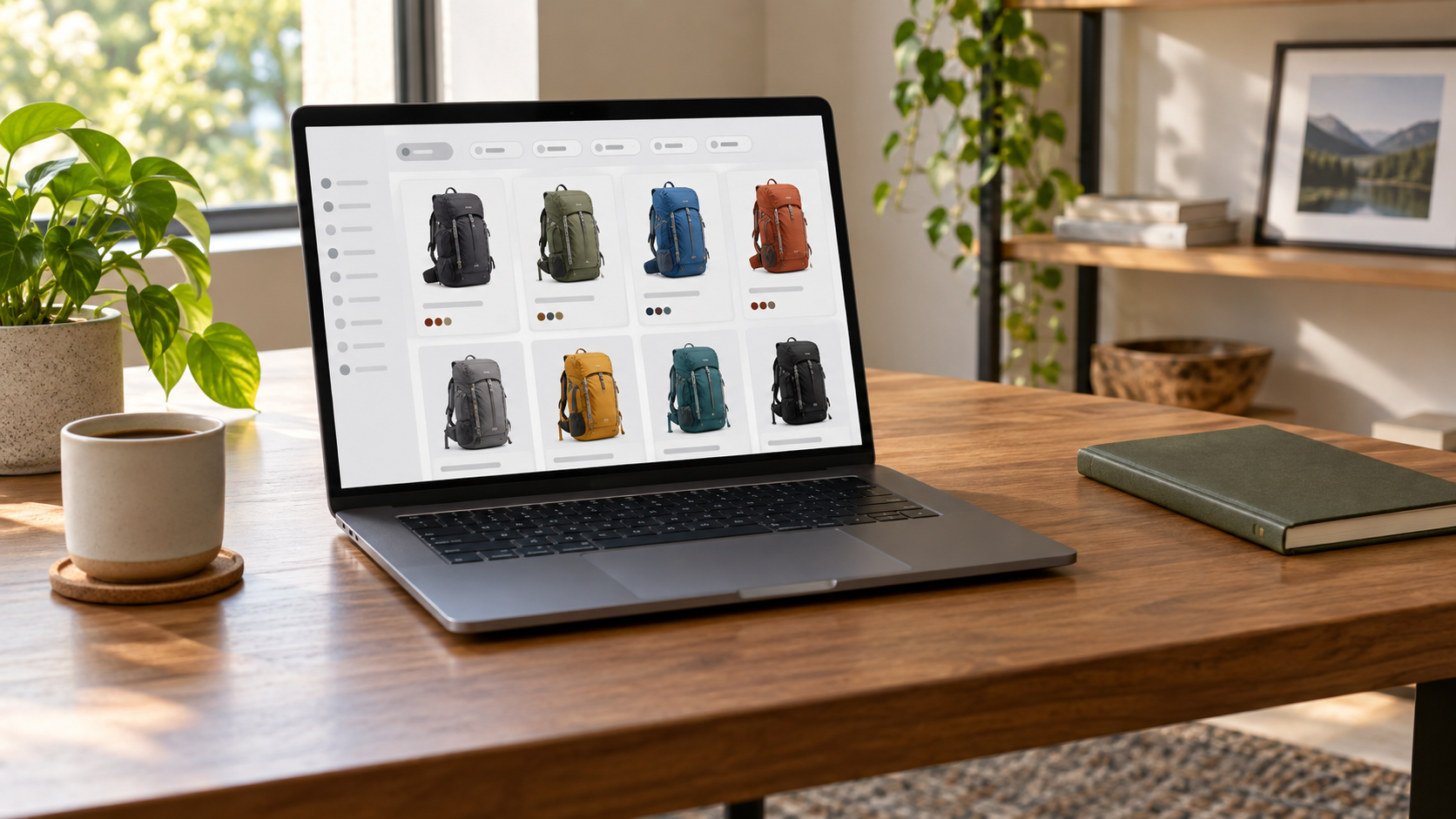
Illustration: A product catalog can help shoppers compare a smaller, more relevant set of options.
How Do AI Shopping Assistants Help Shoppers Discover Products?
Discovery is often where your shoppers first feel the value. They may type “a carry-on bag for a two-day trip” instead of a product name. Your assistant can turn that broad need into useful filters—category, use case, size, budget, color, or available variant—then surface options from your store’s product data.
For a Shopify store, predictive search is one data capability you can connect to this kind of workflow. Shopify documents that it can return suggested products, collections, pages, articles, and search queries while someone types. Your assistant design still needs its own rules for interpreting a shopper’s request and deciding what to show. Shopify predictive search
Ask one practical question: why did this item appear? Your team should be able to trace the answer to catalog fields or an approved search rule. Consider these three requests:
| Shopper request | Retrieval inputs to inspect | Useful next step |
|---|---|---|
| “A carry-on bag for a weekend” | Product type, dimensions, stock, stated use | Show eligible bags, then ask about airline or packing needs if needed. |
| “A gift for a hiker” | Product tags, category, stated activity | Ask one short question when gift type or budget changes the list. |
| “This item in blue” | Variant title, availability, current product data | Show the matching variant only when the store source confirms it. |
That distinction keeps discovery useful when the first question is vague. If a shopper has not supplied a limiting factor, a brief clarification is usually more honest than a broad list that looks confident. If product data is incomplete, the answer can say what it can confirm, offer a narrower search, or hand the case to a person. The goal is not to mimic an expert salesperson. It is to make the next shopping decision easier to inspect.
Keep an eye on freshness, too. Shopify documents a products/update webhook, which gives you one way to test how product changes reach an answer flow. Shopify webhooks
Before launching a pilot, test the messy questions shoppers actually type: typos, incomplete requests, conflicting filters, and products that are suddenly out of stock. Real shoppers rarely search with perfect product names. Once they have an option in view, the next job is to explain why it fits.
How Do AI Shopping Assistants Recommend the Right Products?
Recommendations turn a product list into a buying decision. Your assistant compares what the shopper has said with product information, then explains the link in plain language. That gives shoppers a reason to trust the next click—and gives your team something concrete to review.

Illustration: Helpful recommendations compare visible product attributes and give shoppers a reason they can understand.
Shopify’s product recommendation query is another useful storefront data capability. It returns products in relation to a given product ID or handle and accepts an intent input. You can use a product-linked source as part of a recommendation workflow, then add your own shopper questions and explanation rules. Shopify product recommendations
First, choose which fields may support a reason. These can include dimensions, material, compatible models, variants, price, or a maintained link between products. Do not rely on a field that is absent, stale, or only implied by marketing copy. If a field says “20 L capacity,” the assistant can say it showed the product because the shopper asked for a compact day bag and the listed capacity is 20 L. It must not turn that into a promise that the bag is right for every trip.
Example: How an AI Shopping Assistant Explains a Recommendation
Imagine a shopper says: “I need a compact day bag under $100 for a city trip.” This is a hypothetical example, not a claim about any store’s live catalog or outcome.
- Shopper constraint: The request contains three checkable conditions: compact size, city-trip use, and a budget below $100.
- Supported store fields: The assistant checks the product’s listed dimensions or capacity, its description or use-case information where available, and the current price source. If a field is missing, it can ask a follow-up, show the confirmed details, or route the question instead of treating the product as automatically ineligible.
- Reason shown: It may present an eligible item with a plain explanation: “Shown because its listed 18 L capacity and city-use tag match your compact day-bag request, and the current listed price is below your budget.” The words “listed” and “current” matter because they point back to a source rather than a hidden judgment.
- Refinement: If the shopper asks whether it fits a laptop, the next question is not a new guess. The assistant checks the listed laptop sleeve dimensions or asks for the device size. A new constraint should trigger a new field check.
- Human handoff: If the sleeve field is missing, the price conflicts between approved sources, or the shopper asks for a fit promise, the assistant stops recommending on that point and passes the question and fields already checked to the right team.
Test this traceability chain in a pilot. A reviewer should see the request, the product data, the shopper-facing reason, and the rule for a refinement or handoff. It can also improve the catalog. Repeated handoffs for “Will this fit?” may show that a key field is missing. More sales language will not solve that gap.
Recommendations can also include related products, but relevance needs the same discipline. A matching accessory should be tied to a documented product relationship or stated compatibility rule. If that support is absent, label it as an optional browse path rather than asserting that the shopper needs it. This keeps cross-sell support distinct from an unsupported personal recommendation.
When the shopper accepts an option, conversion support can preserve the shopping context. That next step is useful, but it is not the same as authorizing the assistant to alter an order or take payment.
How Can an AI Shopping Assistant Support the Checkout Process?
Once a shopper has found an option, conversion support can remove small points of friction. Your assistant can restate visible product details, compare selected items, explain what is in the cart, or point the shopper toward checkout. The key is to make the next step easier without overreaching into actions your store has not approved.
On Shopify, cart data can supply the items a buyer plans to purchase, the estimated cost, and a checkout URL. You can use that context to let an assistant explain the visible cart and guide a shopper toward checkout. Changing a quantity, applying a discount, or using a saved payment method requires the right access and controls, so describe only the actions your store’s assistant can actually perform. Shopify Cart
This matters because a shopper’s words can hide a very different request. “What is in my cart?” may be an explanation request. “Can you add two more?” is a write action. “Will this be the final total?” requires a price and checkout rule. “Use my saved card” is a sensitive payment request. Each needs a different permission model, data source, and recovery path.
| Request type | A bounded assistant may do | What needs separate evidence and control |
|---|---|---|
| Cart explanation | Restate items and visible estimated amounts; show checkout path | Any claim that the estimate is a final total. |
| Product comparison | Compare approved product fields and selected variants | A promise about fit, availability, or delivery without a source. |
| Cart change | Explain how the shopper can make a change | Writing to the cart or applying a discount. |
| Checkout or payment | Direct to an approved checkout page | Taking payment, using a saved method, or completing purchase. |
Teams should test the handoff language as carefully as the answer. A useful response says what remains possible: “I can show the current cart and checkout link. A member of the support team can help with a price exception.” It does not imply that a background action is occurring when the system has no approved ability to do it.
Test conversion support with normal cart questions, price changes, incomplete shopper identity, a request to edit quantities, and a payment-related prompt. For each case, ask whether the assistant used the approved source, named the limit before it mattered, and sent the shopper to a clear next step. That turns conversion from a broad promise into a bounded shopping capability that the team can measure and expand only when the underlying access is ready.
When Should an AI Shopping Assistant Hand a Customer to a Human?
The same fluent response can be low risk in one context and high risk in another. Explaining a listed product dimension is different from changing a cart. Giving a policy link is different from approving a return exception. The control system should make those differences visible before the assistant is connected to private data or action tools.
You do not need a lengthy governance program to begin well. NIST’s AI Risk Management Framework is useful for one simple habit: review the risks and controls around a capability, not just whether the answer sounds helpful. If your assistant can access store systems, OWASP’s guidance points to the same practical idea—give it only the access it needs and keep a person in the loop for consequential actions. NIST AI RMF OWASP: Excessive Agency
Consider a policy exception. A shopper says a gift arrived late and asks the assistant to issue a refund beyond the stated return period. A safe system can retrieve the published policy, identify the order-support route, and summarize the information a support person needs. It should not decide the exception merely because the customer asks forcefully or because the policy text appears nearby. The decision needs an approved identity check, complete order context, and a named owner with the authority to make the exception.
The control path for that case is concrete:
- Identify the request. Classify it as a policy exception, not a general policy question.
- Use the minimum approved source. State the documented policy or route without exposing data that the shopper has not been authorized to see.
- Stop at the decision boundary. Do not promise a refund, credit, price adjustment, or delivery outcome when a person must approve it.
- Hand off context. Send the request, relevant order reference where permitted, policy point, and unresolved question to the support owner.
- Review the result. Check whether the eventual human resolution exposed a missing rule, unclear content, or a common case worth documenting.
The same approach helps with price conflicts, stock uncertainty, and cart actions. When a request needs a person, pass along the shopper question, the relevant data, and the reason for the handoff so your support team can pick up the conversation without making the customer repeat themselves.

Illustration: A clear handoff keeps the shopper moving when a request needs human review or an approved exception.
How Do You Test AI Shopping Assistant Capabilities Before Launch?
When you start a pilot, do not test everything at once. Pick one shopper journey. A narrow pilot makes it much easier to see whether a problem comes from product data, matching, access, or your support process. Define one job, the data it can use, the action it can take, and what happens when it cannot answer.
For example, a team may start with “Help a shopper compare compact day bags.” The scope should name the fields it will use. These may include size, capacity, material, listed price, and variant stock. It should name the approved source for each field. It should also state how updates enter the flow and who owns a missing or conflicting field. Shopify’s products/update webhook gives one point for testing updates. It does not prove that an implementation is current. Shopify webhooks
Use a scorecard that connects shopper value to operational safety:
| Pilot question | Capability under test | Evidence to review | Failure or handoff condition | Owner |
|---|---|---|---|---|
| “Which bag fits a day trip?” | Grounded discovery | Query, fields used, and eligible products | Relevant fields are absent or stock conflicts | Product-data owner |
| “Why this one?” | Explainable recommendation | Constraint, field, displayed reason, refinement | The reason lacks a supported product field | Merchandising owner |
| “What is in my cart?” | Bounded conversion support | Cart context and checkout path shown | Shopper requests a cart change, final price, or payment | Commerce owner |
| “Can you make an exception?” | Safe support routing | Policy route and handoff note | Human judgment or identity review is required | Support owner |
Early measures should focus on review, not growth. Sample answers and ask four things. Did the reply use the planned source? Did it give a reason the shopper could check? Did it avoid an action outside the rule? Did the handoff give a person enough context? This fits NIST’s idea of testing trust concerns in use. It does not treat launch as the last test. NIST AI RMF
Add routine and hard test prompts. Include typos, two conflicting needs, changed catalog data, a retired variant, a price conflict, a policy exception, and a tool request. Record the result. Classify the issue as a source, match, reason, access, or handoff gap. That label points to the right owner. It avoids a vague “improve the AI” response.
At the end of each pilot cycle, decide whether to improve data, clarify a rule, change the handoff, or expand scope. Do not add action access simply because a conversation was successful. OWASP’s guidance supports this least-privilege approach: expand access only when the use case, control, and human review path justify it. OWASP excessive agency
Start With One Shopper Journey, Then Build
Useful AI shopping assistant capabilities create a path: discovery, a clear reason for a recommendation, practical cart help, and a reliable handoff. Your store does not need to launch every capability on day one.
Before adding AI shopping features, map your top customer questions, the product data you can trust, and the moments when support should take over. Building an AI shopping assistant is not only about adding chat to your website. It needs clean product data, clear rules, and a plan for when people need to step in.
If you want to explore whether Upsello is a fit for your store, contact Upsello with the customer questions and product data you want to evaluate.


